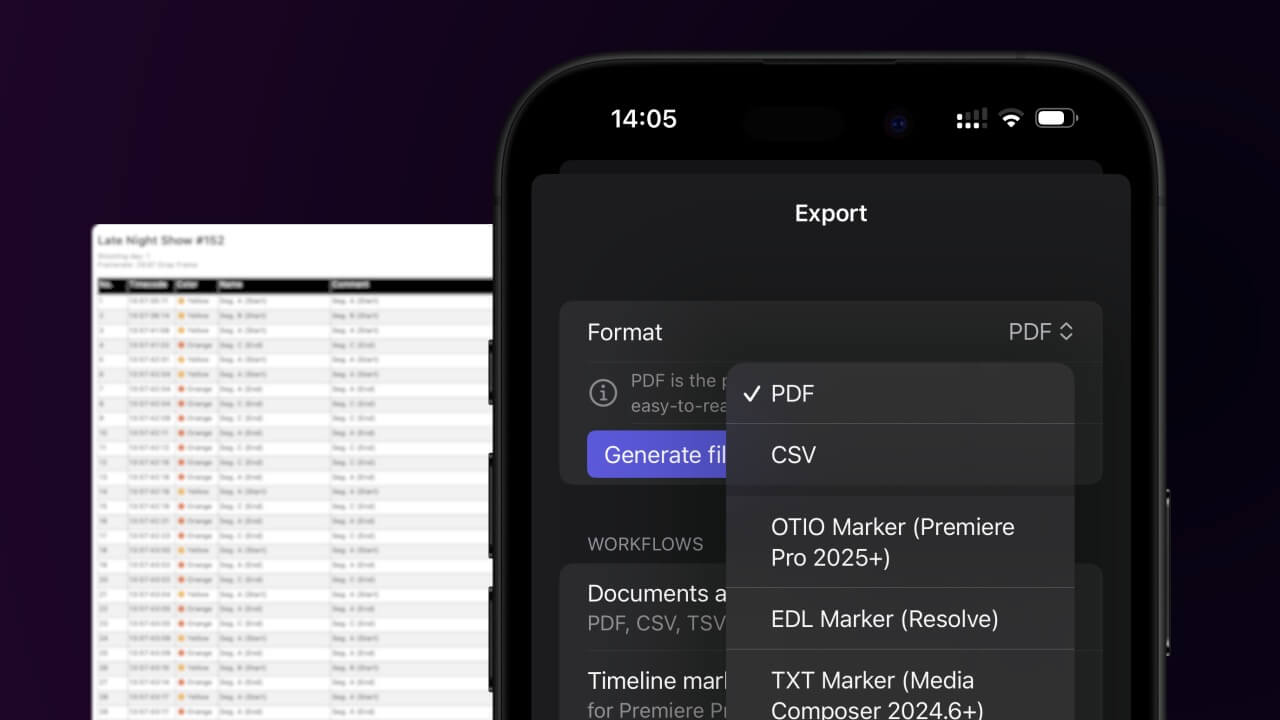
1. Export a CSV file from Live Timecode Notes app
Open the project in the app, then select "Export Notes" from the top menu. Select "CSV". Generate and save the file.
2. Use the "Instrument de subtitrare & Convertor" to convert the CSV file into a DFXP subtitle file
Open the free Instrument de subtitrare & Convertor, select "CSV" and set "convert" to "DFXP". Generate and download the file. Dacă aveți probleme la conversia fișierului, puteți contacta asistența gratuită.
Make sure the CSV contains a column called "Timecode In", "Timecode Out" and "Subtitle". Otherwise it will not work.
🚀 Gata
Deocamdată asta e tot! Dacă tutorialul vi s-a părut util, vă rugăm să-l distribuiți pentru a ne susține. Dacă aveți sugestii despre cum am putea îmbunătăți fluxul de lucru, vă rugăm să ne anunțați!